
Appearance
DataFusr Manager
The DataFusr Manager is your access route to all things DataFusr. The DataFusr manager allows you to install and manage all Haskoning tooling for computational design on your local system. It keeps track of new releases of existing discipline tools and additional utilities, but also allows you to share new tools that you have created yourself with your colleagues.
Get started right away!
Download DataFusr Manager
Install
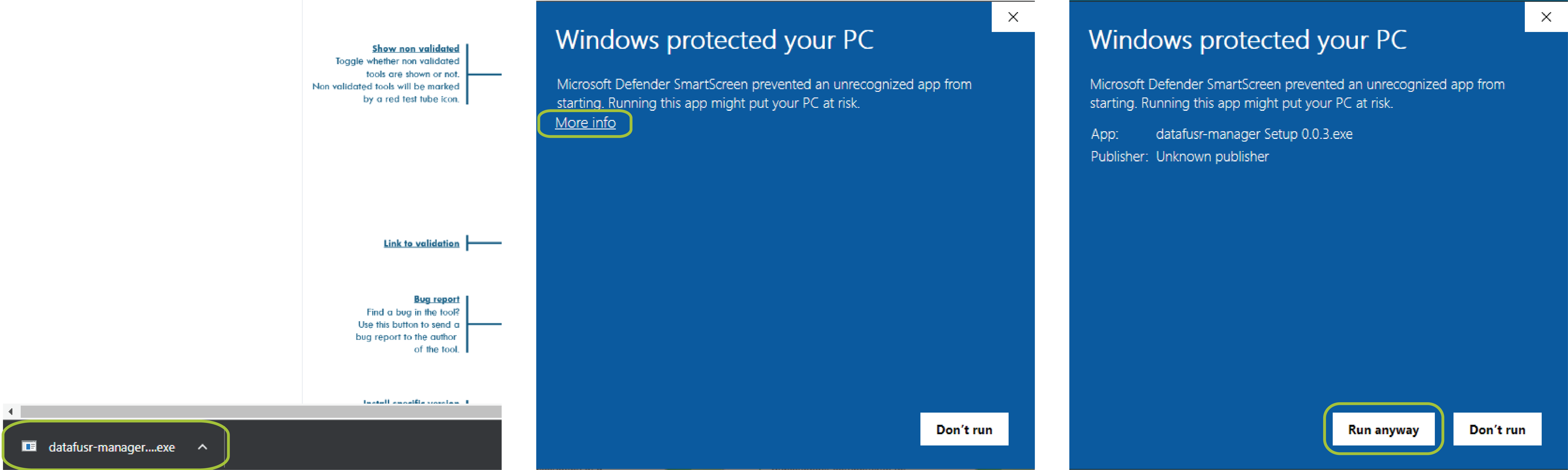
To install the DF Manager, download the executable with the link above and follow the steps below.
Steps
- Open the executable >> Click "More info" >> Click "Run anyway"
Interface
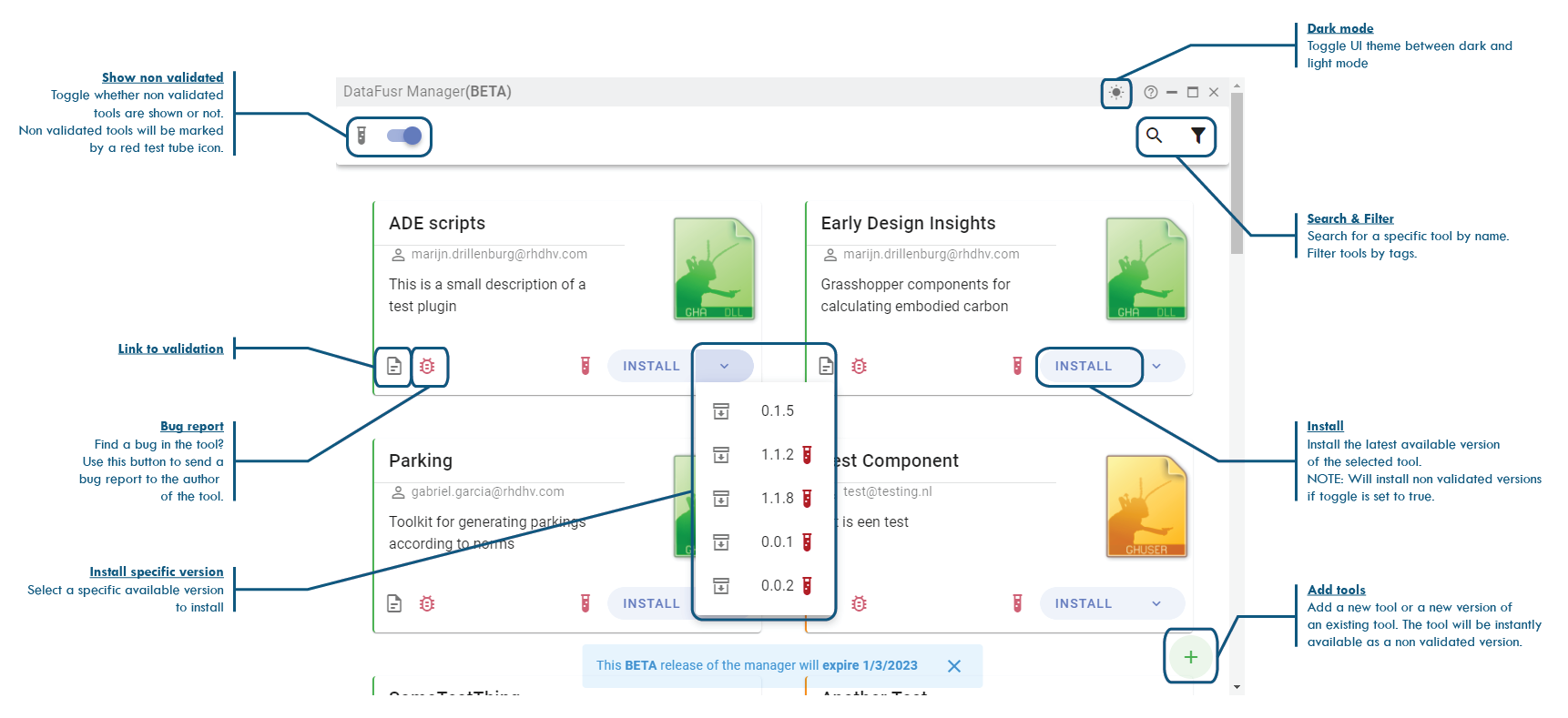
Adding a new toolkit
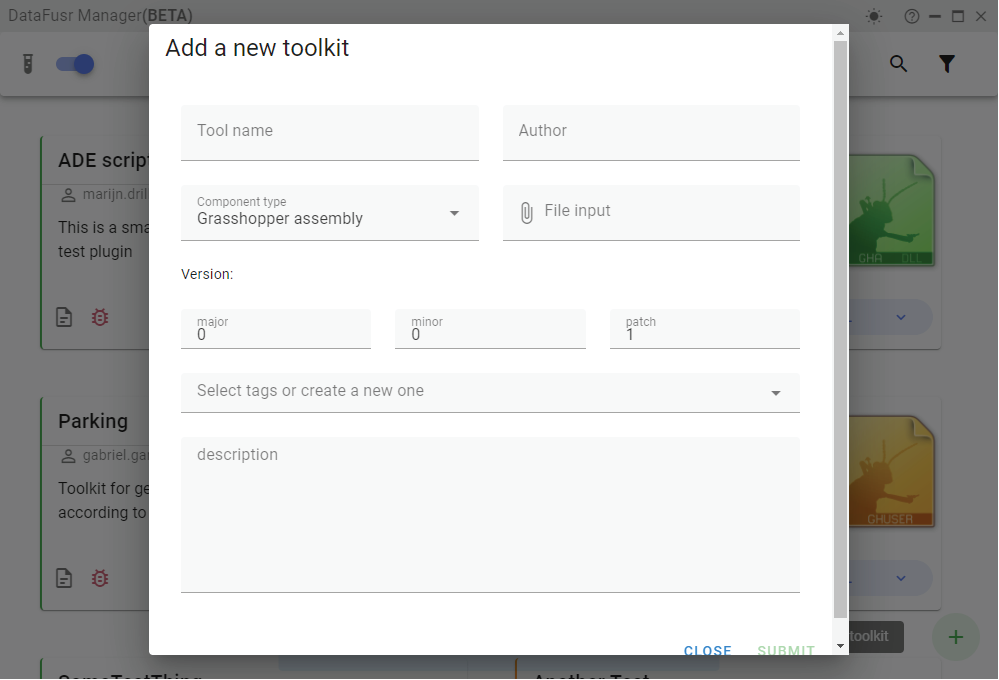
Using the manager, new toolkits can be uploaded or new versions can be added to existing toolkits. The newly uploaded component will be available immediately but will be marked as non validated. To validate the version follow your own specific validation process and get in touch with Merijn de Leur, Pieter Schreurs or Marijn Drillenburg to update the version in the manager.
NOTE:
When uploading a new version, your employee ID is attached to the upload.